Kn2 Series
Introduction
As you have surely noticed by now, the Kn2 Series plugins all model compact stompboxes featuring two knobs.
This design feature makes the use of such models fairly straightforward, especially for the experienced user. Nevertheless, some points are worth noting - hence this document.
What is this?!
The Kn2 Series is a collection of VST3 plugins. This means you need a VST3-compatible host to use them. Such hosts are abundant, and there is one to suit nearly every need. If you do not have one yet, we will leave it to you to choose one.
Additionally, for best results, you may want to use a high-quality audio interface with a suitable preamplifier to connect your instrument.
Finally, all Kn2 plugins model electronic devices that are typically used with a guitar or bass amplifier. While not strictly required, you may want to place a guitar amplifier model after them in your signal chain.
Installation
Option A: The Installer
Simply download the installer executable and run it.
Follow the on-screen instructions to install the VST3 plugin bundle.
Option B: The ZIP Archive
Download the ZIP archive.
Extract its contents using any archive utility and place the VST bundles (folders with a .vst suffix) in your VST3 plugin directory (typically found under C:\Program Files\Common Files\VST3).
The Controls
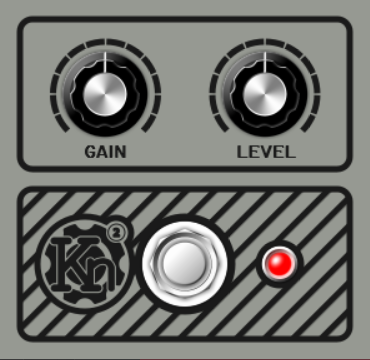
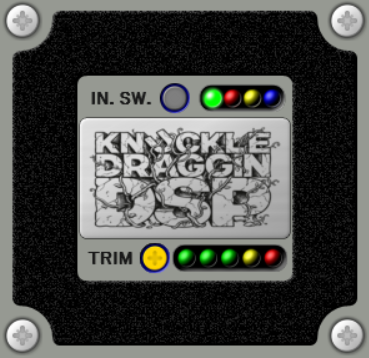
As the following examples illustrate, all Kn2 Series plugins are equipped with a graphical user interface for easy and intuitive control.
Front panel
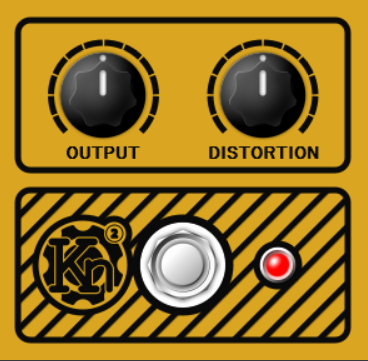
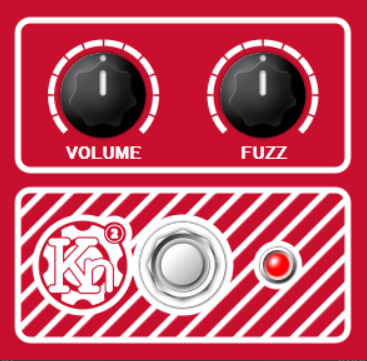
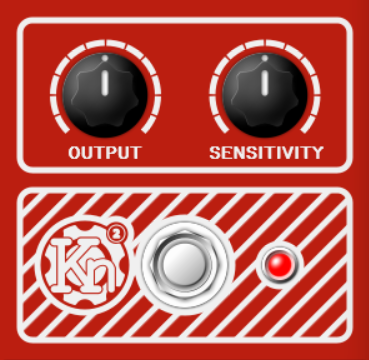
The front panels are designed to loosely mimic the stompboxes they model. In addition to the two knobs, each model also has a bypass switch and a bypass indicator. The controls are fairly self-explanatory; nevertheless, the next section provides brief descriptions for each.
Rear panel
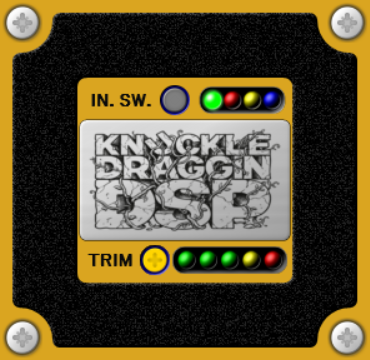
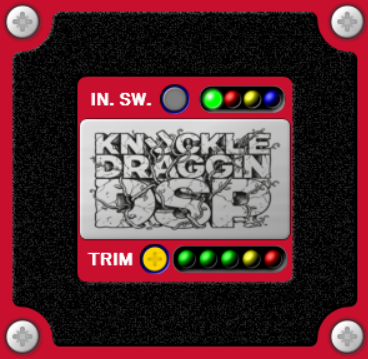
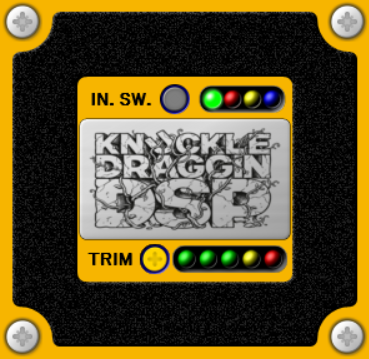
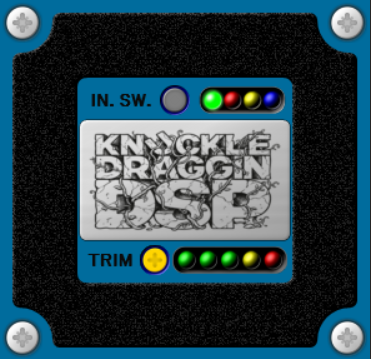
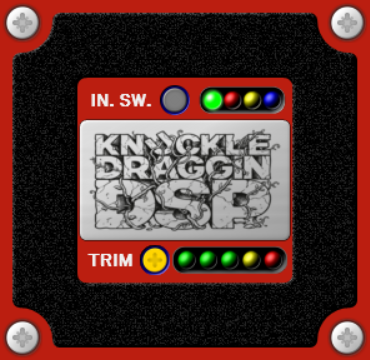
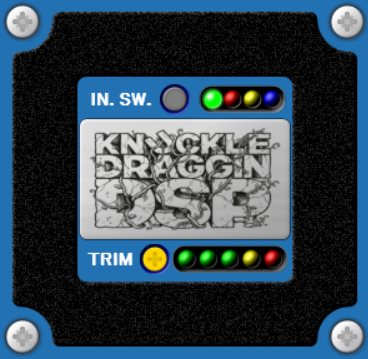
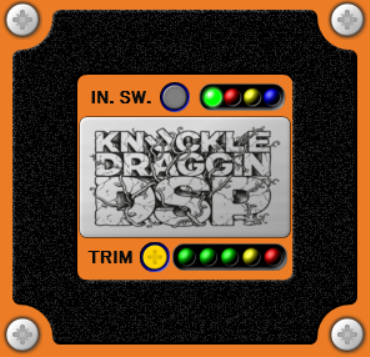
The rear panels include an input mode selector and indicator, and an auxiliary input trim control with an input level meter.
Stereo operation
The input mode selecor is only applicable to stereo channels. Since the stompbox models are inherently monaural effects, when inserted into a stereo channel, four modes of operation are available:
- Mono input (left) - green LED:
In this mode, only the left channel input is processed and the output is duplicated to both left and right outputs. - Mono input (right) - red LED:
In this mode, only the right channel input is processed and the output is duplicated to both left and right outputs. - Mono input (half-sum) - yellow LED:
In this mode, the weighted sum of left and right channel inputs is processed and the output is duplicated to both left and right outputs. - Dual Mono - blue LED:
In this mode, each channel input is processed independently.
The modes can be cycled by repeated clicks on the input mode selecor button.
When inserted into a mono channel, the mode selector is fixed to the Mono input (green LED) mode.
Level calibration
The auxiliary ±12dB input trim control and input level meter can be used to calibrate the model’s sensitivity if necessary. On that note, keep in mind that all models assume 0dBFS = 1Vp by default.
The rear panel can be accessed directly using the 2 buttons on the bottom of the GUI or from the context menu by right-clicking on the main panel and selecting between “Front Panel” or “Rear Panel.”
The Models
Kn2 Distortion
Models a simple distortion pedal. Produces a compressed, distorted sound.
Output
Controls the overall output signal level of the effect.
Distortion
Controls the amount of distortion applied to the signal.
Lower settings produce mild saturation, while higher settings produce a more compressed distortion.
Kn2 Fuzz
Models a classic fuzz pedal. Produces a gritty, fuzzy sound.
Volume
Controls the overall output signal level of the effect.
Fuzz
Controls the internal gain of the circuit to produce different levels and shapes of distortion.
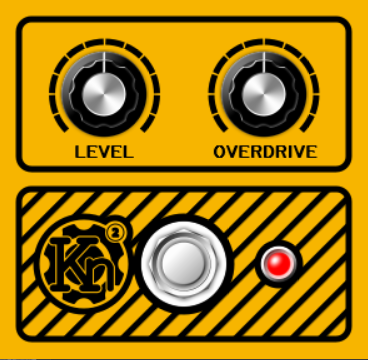
Kn2 Overdrive
Models a simple overdrive pedal. Produces a tight, midrange-focused overdriven tone.
Level
Controls the overall output signal level of the effect.
Overdrive
Controls the amount of drive in the preamp stage.
As the drive increases, the preamp eventually saturates asymmetrically to produce the overdriven tone.
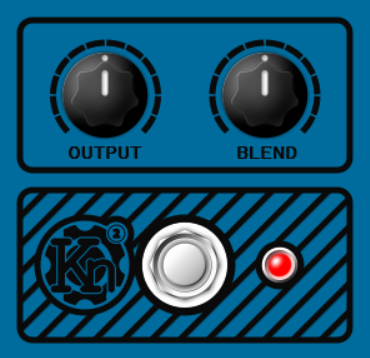
Kn2 Octvae Fuzz
Models a late ’70s octave fuzz pedal. Produces a gnarly, gated tone with an added sub-octave.
Output
Controls the overall output signal level of the effect.
Blend
Controls the mix of same-octave and two-octaves-down signals.
Kn2 Preamp
Models a high-gain non-linear preamp pedal. The effect ranges from lightly driven to highly distorted.
Gain
Controls the amount of gain applied to the input signal.
Higher gain settings result in heavier clipping of the signal.
Level
Controls the overall output signal level of the effect.
Kn2 Compressor
Models an OTA-based compressor pedal with up to ~40dB compression and high frequency boost.
Output
Controls the overall output signal level of the effect.
Sensitivity
Controls the amount of upward compression applied to the input signal.
Higher sensitivity settings result in heavier compression and longer sustain.
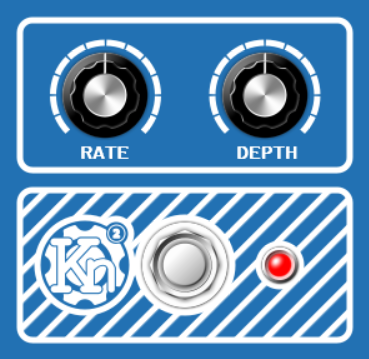
Kn2 Chorus
Models a BBD-based chorus.
Rate
Controls the delay time modulation rate.
Depth
Controls the delay time modulation range.
Kn2 Phaser
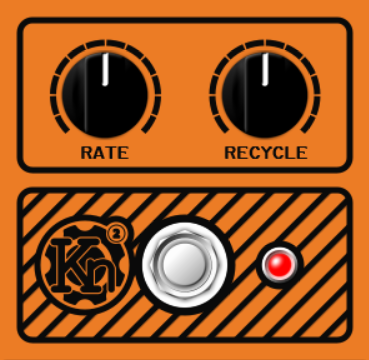
Models a JFET-based phaser pedal with 4 phase-shift stages and a feedback path.
Rate
Controls the phase-shit frequency modulation rate.
Recycle
Controls the ammount of feedback from the last phase-shift stage back into the first phase-shift stage.
Higher feedback results in more emphasised peaks between the notches created by the effect.
Revision history
02/05/2026: Beta revision 0.1.2
- Minor bugfixes.
- Performande fixes in non-linear models.
- Overall performance improvements in non-linear system solver.
- Updated Compressor model.
- New Octave Fuzz model.
21/04/2026: Beta revision 0.1.1
- Added support for stereo channel operation.
18/04/2026: First beta revision
- Completed Kn2 lineup with Kn2 compressor, phaser and chorus.
- First round of core engine optimization to bring around 50% CPU load improvement.
- Dedicated front / rear panel switch cotrols on the main editor view.
- Minor bug fixes and improvements.